
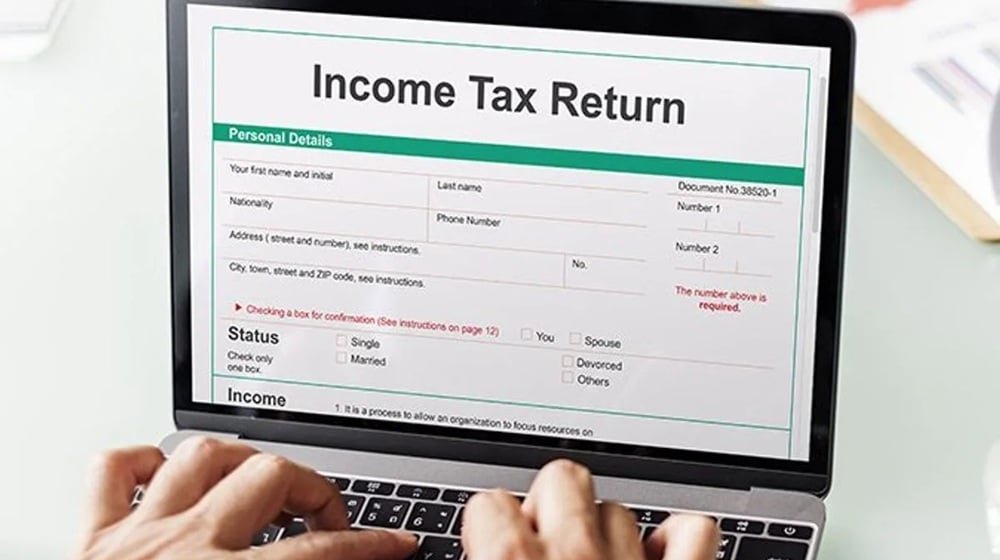
The Criticality of Accurate CNIC and NTN Data in Pakistan's Digital Tax Landscape
In today's increasingly digitized economic environment, the accuracy of your business's identification and tax information is paramount. For businesses operating in Pakistan, ensuring that your Computerized National Identity Card (CNIC) and National Tax Number (NTN) data are perfectly aligned across all governmental platforms, particularly with the Federal Board of Revenue (FBR), is no longer a mere administrative formality. It is a foundational requirement for seamless tax compliance, access to financial services, and overall operational efficiency. Any discrepancy, even seemingly minor, can lead to significant operational hurdles, including delayed refunds, blocked transactions, and potential legal complications. This guide is designed to equip business owners, tax professionals, and corporate decision-makers with the knowledge and actionable steps to identify, understand, and resolve electronic verification mismatches related to CNIC and NTN data with the FBR.
Understanding CNIC and NTN: The Cornerstones of Business Identification
What is a CNIC?
The CNIC, issued by the National Database and Registration Authority (NADRA), is the primary identification document for all Pakistani citizens. For individuals, it serves as their unique identifier. For business purposes, especially for sole proprietorships and partnerships, the CNIC of the proprietor or managing partners is often linked to the business's NTN.
What is an NTN?
The NTN, or National Tax Number, is a unique identification number issued by the FBR to individuals, businesses, and other entities for tax purposes. It is essential for filing tax returns, conducting business transactions, and accessing various government services. The NTN registration process is the first step towards formal tax compliance in Pakistan.
Common Scenarios of Electronic Verification Mismatches
Electronic verification systems, while designed to streamline processes, can flag inconsistencies that arise from various sources. Understanding these common scenarios is the first step towards resolution:
Scenario 1: Incorrect Personal Information on FBR Portal
Problem: A business owner's name, father's name, or date of birth on their CNIC differs from what is registered with the FBR. This often happens due to manual data entry errors during initial NTN registration or subsequent updates.
Example: Mr. Ahmed Khan's CNIC lists his father's name as 'Muhammad Khan', but his FBR profile incorrectly shows 'Mohd Khan'. During an online tax filing or refund request, this mismatch triggers an alert.
Scenario 2: NTN Linked to an Expired or Incorrect CNIC
Problem: The NTN was initially registered using an old CNIC, and the CNIC was later updated or renewed. The FBR record still points to the old CNIC, causing verification failures.
Example: Ms. Saba Ali renewed her CNIC. Her new CNIC number is automatically updated in NADRA's system, but her FBR account still reflects the old, now invalid, CNIC number. Any transaction requiring electronic CNIC verification fails.
Scenario 3: Discrepancies in Business Entity Details
Problem: For registered companies, Association of Persons (AOPs), or firms, inconsistencies can arise in the names of directors, partners, shareholders, or registered addresses as recorded by the Securities and Exchange Commission of Pakistan (SECP) and the FBR.
Example: A company's registered address was changed via SECP, but the FBR's IRIS portal still shows the old address. This can cause issues with official correspondence and audit notices.
Scenario 4: Multiple NTNs Registered Under the Same CNIC/Business Name
Problem: An individual or entity might inadvertently have more than one NTN. This is particularly common for individuals with both personal and business NTNs that might not be properly linked or differentiated.
Example: A proprietor might have registered an NTN for their sole proprietorship and another for personal income tax, and there's a linkage error, leading to verification issues when trying to file consolidated returns.
Scenario 5: Data Entry Errors During Initial Registration
Problem: Simple typographical errors in names, addresses, or identification numbers during the initial NTN application process.
Example: A company name was registered as 'ABC Enterprises' but entered as 'AB C Enterprises' with an extra space on the FBR portal. This subtle difference can cause mismatches.
The Consequences of Unresolved Mismatches
Ignoring CNIC/NTN discrepancies can have far-reaching negative impacts on your business operations and financial standing:
- Delayed or Rejected Tax Refunds: The FBR's automated systems will flag mismatches, leading to significant delays or outright rejection of refund claims.
- Blocked Transactions and Payments: Essential business transactions, including payments to suppliers, receipt of customer payments, and even salary disbursements, can be hindered if verification processes fail.
- Inability to File Tax Returns: In many cases, the FBR's IRIS portal will prevent the submission of tax returns or other essential filings if the underlying verification data is inconsistent.
- Increased Scrutiny and Audits: Mismatches can be perceived as red flags by the FBR, potentially leading to increased audit activity and closer examination of your tax affairs.
- Penalties and Fines: While not directly a penalty for the mismatch itself, the inability to comply due to a mismatch can lead to late filing penalties and other regulatory sanctions.
- Reputational Damage: Persistent compliance issues can affect your business's credibility with suppliers, customers, and financial institutions.
Step-by-Step Guide to Resolving CNIC/NTN Discrepancies
Resolving these mismatches requires a systematic approach. Here’s a breakdown of the process:
Step 1: Identify the Nature and Scope of the Mismatch
Action:
- Check your FBR Profile: Log in to the FBR's IRIS portal (https://iris.fbr.gov.pk/) and review your registered information. Cross-reference this with your CNIC and other official documents.
- Verify with NADRA: Ensure your CNIC details are accurate and up-to-date with NADRA.
- Cross-Reference with SECP (for Companies/AOPs): For registered entities, compare the information on the SECP portal with your FBR records.
- Review Past Filings: Examine previous tax returns and applications to identify where the error might have originated.
Step 2: Gather Necessary Documentation
You will typically need the following documents:
- Copy of your CNIC (both old and new, if applicable)
- Copy of your NTN Certificate
- For companies/AOPs: Certificate of Incorporation/Registration from SECP, Memorandum and Articles of Association (if applicable), list of directors/partners with their CNICs.
- Proof of address (e.g., utility bill, rent agreement)
- Any other supporting documents that clarify the correct information.
Step 3: Determine the Correction Method
The method for correction depends on the type of entity and the nature of the error.
For Individuals (Sole Proprietorships)
Process:
- Online Update (Limited): Some basic information updates might be possible directly through the IRIS portal. Look for options like 'Profile Update' or 'Personal Information Amendment'.
- Visit FBR Tax Office: For significant corrections (e.g., name changes, father's name correction, CNIC number update), you will likely need to visit your jurisdictional Tax Office (RTO).
- Submit Application: Prepare a formal application letter stating the required correction, attaching all supporting documents.
- Follow Up: Obtain an acknowledgement receipt and follow up with the relevant tax officer to ensure the update is processed.
For Companies, AOPs, and Firms
Process:
- SECP Alignment: For discrepancies in entity names or registered addresses, ensure the information is first updated with the SECP. The FBR often syncs data from SECP for registered companies.
- IRIS Portal Amendment: Log in to IRIS and navigate to the section for managing registered persons or company profiles. Look for amendment options.
- Formal Application to FBR: If online amendments are not sufficient or possible, a formal application with supporting SECP documents will be required at the FBR's Commissioner level. This often involves a letter detailing the required changes and attaching updated SECP certificates.
- Director/Partner CNIC Updates: Updates to CNICs of directors or partners usually require submitting updated CNIC copies and potentially a board resolution or partnership deed, often handled at the Tax Office.
Step 4: The Correction Process at the FBR Tax Office
When visiting a tax office:
- Be Prepared: Have all original documents and copies ready.
- Meet the Right Officer: Enquire about the specific section or officer responsible for taxpayer profile amendments.
- Document Submission: Submit your application and documents as per their procedure.
- Track Your Request: Note down any reference numbers provided and follow up periodically.
Step 5: Verification and Confirmation
Action:
- Re-check IRIS Portal: After a reasonable processing time, log back into the IRIS portal to confirm that the changes have been reflected accurately.
- Test Functionality: Try performing a simple action that previously failed due to the mismatch (e.g., a draft tax return submission or a refund application).
Common Mistakes to Avoid
Navigating the correction process can be tricky. Here are common pitfalls and how to sidestep them:
- Mistake: Assuming Online Updates are Always Sufficient.
Avoidance: For significant errors, especially those involving core identification details or registered entity information, direct interaction with the FBR Tax Office is usually unavoidable. - Mistake: Not Aligning SECP and FBR Data for Companies.
Avoidance: Always update your company's details with SECP first, and then ensure these changes are reflected in your FBR registration. - Mistake: Incomplete Documentation.
Avoidance: Before visiting an FBR office, meticulously gather all required documents. Missing a single piece of paper can cause delays. - Mistake: Not Following Up.
Avoidance: FBR processes can sometimes be slow. Proactive and polite follow-up is crucial to ensure your request is not overlooked. - Mistake: Providing Incorrect Contact Information.
Avoidance: Ensure your registered phone number and email address on the FBR portal are current and checked regularly, as FBR may use these for communication regarding your case.
Expert Insights and Pro Tips
Expert Insight: Proactive Data Management
"The most effective way to avoid CNIC/NTN mismatches is proactive data management. Businesses should conduct periodic internal audits of their FBR profile and compare it against their official legal documents at least twice a year. This helps catch minor discrepancies before they escalate into major issues." – Leading Tax Consultant, Pakistan
Pro Tip: Leverage Tax Professionals
Engaging a qualified tax consultant or chartered accountant can significantly simplify this process. They have established relationships with FBR officials and understand the nuances of their procedures, often leading to faster resolutions.
Did You Know? FBR's Data Integration Efforts
The FBR is continuously working to integrate data from various government agencies (like NADRA, SECP, State Bank of Pakistan). While this aims to improve efficiency, it also means that inconsistencies between these databases are more likely to be flagged. Ensuring your data is accurate across all relevant authorities is thus more important than ever.
Cost Implications, Timelines, and Resource Requirements
- Cost:
- DIY Approach: Primarily time and travel expenses.
- Hiring a Professional: Fees can range from PKR 10,000 to PKR 50,000+ depending on the complexity of the issue and the professional's charges.
- Timeline:
- Simple Corrections (Online): 1-3 working days.
- Complex Corrections (FBR Office): 1 week to 1 month, or sometimes longer, depending on the FBR office's workload and the nature of the correction.
- Resource Requirements:
- Dedicated time from a business owner or finance staff.
- Access to a computer with internet for online FBR portal access.
- Physical visit(s) to the FBR Tax Office.
- Professional consultation fees (if applicable).
Legal Framework and Regulatory Updates
The underlying framework for NTN registration and taxpayer identification is primarily governed by the Income Tax Ordinance, 2001. While specific procedures for data correction are often detailed in FBR circulars and notifications, rather than the Ordinance itself, the core principle is maintaining accurate taxpayer information. Keep an eye on FBR circulars and notices for any updates in the procedures for taxpayer profile amendments.
Frequently Asked Questions (FAQs)
-
Q1: My CNIC has expired, and I haven't updated it with the FBR. What happens if I try to file my tax return?
A: The FBR's IRIS portal will likely prevent you from filing your return. Electronic verification systems will detect that your registered CNIC is invalid. You must update your CNIC with NADRA first, and then follow the procedure to update your CNIC number with the FBR to enable filing.
-
Q2: I registered my company years ago, and some director details might be outdated on the FBR portal. How do I correct this?
A: For companies, ensuring alignment with SECP records is crucial. First, update any changes in director information with SECP. Subsequently, you will need to file an amendment request with the FBR, usually through the IRIS portal or a formal application to your jurisdictional Commissioner, providing updated SECP documents and CNICs of the directors.
-
Q3: Can I get a refund if my CNIC/NTN details are mismatched?
A: It is highly unlikely. The FBR's automated refund processing relies on accurate taxpayer identification. Any mismatch will typically halt the refund process until the data is corrected and verified.
Conclusion
Maintaining accurate CNIC and NTN data with the FBR is a non-negotiable aspect of doing business in Pakistan. While mismatches can be frustrating, they are resolvable with a clear understanding of the process, diligent documentation, and a systematic approach. By proactively managing your business's identification data and addressing any discrepancies promptly, you safeguard your operations against potential disruptions and ensure smooth compliance with Pakistan's tax regulations. Don't let outdated or incorrect information become a bottleneck for your business's financial health and growth.
Action Item: Schedule a review of your business's FBR profile and CNIC/NTN data within the next two weeks.
Explore Our Services
View all servicesAbout the Author
Written by the expert legal team at Javid Law Associates. Our team specializes in corporate law, tax compliance, and business registration services across Pakistan.